
Last Updated on January 19, 2026 by Shrestha Dash
When discussing ERP implementation success factors, conversations typically focus on software selection, change management, or project governance. But there’s a critical factor that often determines implementation outcomes: data migration strategy. Or more accurately, how organizations approach it.
Data migration strategy encompasses more than simply moving information from one system to another. It involves making critical decisions on data cleansing, historical data retention, cutover approaches, and validation processes that substantially impact whether your new ERP delivers expected value. Organizations that underinvest in this area frequently experience extended implementation timelines, budget overruns, and user adoption challenges.

Why Data Migration Strategy Impacts ERP Success
The relationship between data migration strategy and ERP outcomes is well-documented. Poor data migration directly impacts implementation success through three primary mechanisms:
User Adoption Challenges: When users cannot find historical information they need, when reports don’t match legacy system outputs, or when critical data is missing, system adoption suffers. This represents a rational response to a system that doesn’t support their work requirements, and rebuilding user confidence after such issues emerge can be difficult.
Data Quality Issues: Legacy systems typically accumulate years of duplicate records, outdated information, and inconsistent formats. Without a robust data migration strategy that addresses data quality, these issues transfer to the new system and often multiply. Users may encounter duplicate customer records, incorrect inventory counts, or financial reports that don’t reconcile.
Implementation Delays: Organizations frequently underestimate data migration complexity. What initially appears to be a straightforward data transfer can extend into months of data cleansing, mapping, and validation work. Most of the ERP to cloud migrations are often delayed beyond original timelines, with data challenges frequently cited as a contributing factor.
The Critical Data Migration Strategy Decisions
Every ERP implementation requires organizations to make several foundational data migration strategy decisions that cascade through the entire project. These aren’t technical details to delegate to IT—they’re strategic choices with business implications.
Data Cleansing
Data cleansing is unglamorous, time-consuming, and absolutely essential. Yet organizations consistently underinvest in this phase of their data migration strategy, creating problems that persist for years.
What needs to be cleansed
- Duplicate records: Legacy systems often contain multiple customer, vendor, or product records for the same entity due to inconsistent data entry over the years
- Outdated information: Customers who haven’t ordered in years, suppliers who have gone out of business, obsolete products no longer sold
- Inconsistent formats: Customer names and addresses stored differently across departments, varying date formats, inconsistent units of measure
- Incomplete data: Required fields missing values, partial records that cannot be validated, orphaned transactions without master record references
Why organizations resist cleansing:
The reality of data cleansing is that it requires business users to make hundreds or thousands of decisions about what data is correct, what should be merged, and what should be discarded. IT cannot make these decisions—only business stakeholders who understand customer relationships, product lifecycles, and vendor histories can. This creates a resource allocation problem. Business users are already stretched thin supporting current operations while participating in ERP configuration and testing. Adding data cleansing responsibilities feels like one more burden in an already overloaded project.
The cost of skipping cleansing:
Organizations that skip or rush data cleansing face predictable consequences. Following go-live, users may discover duplicate customer records requiring manual research to determine the correct version. Financial reports may not reconcile because product hierarchies contain archived items still linked to transactions. Customer service can be affected when contact information is outdated or inconsistent. Additionally, poor data quality can undermine system trust. Users may begin maintaining shadow spreadsheets “until the system gets fixed,” which reduces the value of the ERP implementation.
A proper data cleansing strategy includes:
| Phase | Activities | Timeline (Approx) |
| Assessment | Profile existing data quality, identify duplicate and orphan records, document inconsistencies | 2-4 weeks |
| Rules Definition | Establish merge rules, create master data governance policies, define data quality standards | 2-3 weeks |
| Execution | Deduplicate records, standardize formats, complete missing required fields, archive obsolete data | 6-12 weeks |
| Validation | Verify cleansing accuracy, reconcile record counts, confirm business rule application | 2-4 weeks |
Total data cleansing timeline: 12-23 weeks (approx) for mid-sized implementations. Organizations that attempt to compress this into 4-6 weeks often encounter quality issues.
Historical Data Decisions
Few data migration strategy decisions generate more concern than historical data retention. How much history should migrate to the new system? The answer profoundly impacts migration cost, system performance, and user satisfaction.
The standard recommendation: 3-4 years of financial data
Most ERP consultants recommend migrating 3-4 years of detailed transactional history, focusing on:
- Master records: Current customers, vendors, products, employees with all relevant attributes
- Open transactions: Unpaid invoices, unfulfilled orders, active projects, pending purchase orders
- Trial balances: 2-3 years of monthly GL balances for financial reporting and trend analysis
- Critical transactional history: 3-4 years of completed transactions needed for warranty tracking, customer purchase history, or compliance requirements
Why not more?
Migrating 10+ years of historical transactions dramatically increases:
- Migration cost: Each additional year adds weeks to extraction, transformation, and validation efforts
- System performance: Larger databases slow query response times and report generation
- Complexity: Older data often has greater quality issues, requiring more extensive cleansing
- Risk: More data means more opportunities for migration errors and validation failures
Handling older historical data
A well-designed data migration strategy addresses older historical data through alternative approaches:
- Maintain legacy system access: Keep a read-only instance of the old system available for occasional historical queries and audit purposes
- Archive to data warehouse: Extract comprehensive historical data to a separate data warehouse that can blend legacy and current ERP data for analysis
- Offline storage: Export critical historical reports and documents to PDF or other formats for long-term retention without requiring system access
The emotional challenge
Controllers and finance teams often express concern about limiting historical data migration. “What if we need transaction details from 2015 for an audit?” The answer is that audit requirements rarely necessitate having decade-old transactions in the operational ERP system. Archived data, legacy system access, or data warehouses typically provide adequate audit trails without burdening the new system.


ERP Selection Requirements Template
This resource provides the template that you need to capture the requirements of different functional areas, processes, and teams.
Cutover Approaches: Big Bang vs. Phased Migration
Your cutover approach—how you transition from the legacy system to the new ERP—represents one of the highest-impact data migration strategy decisions. The two primary approaches offer radically different risk and complexity profiles.
Big Bang Cutover: All at Once
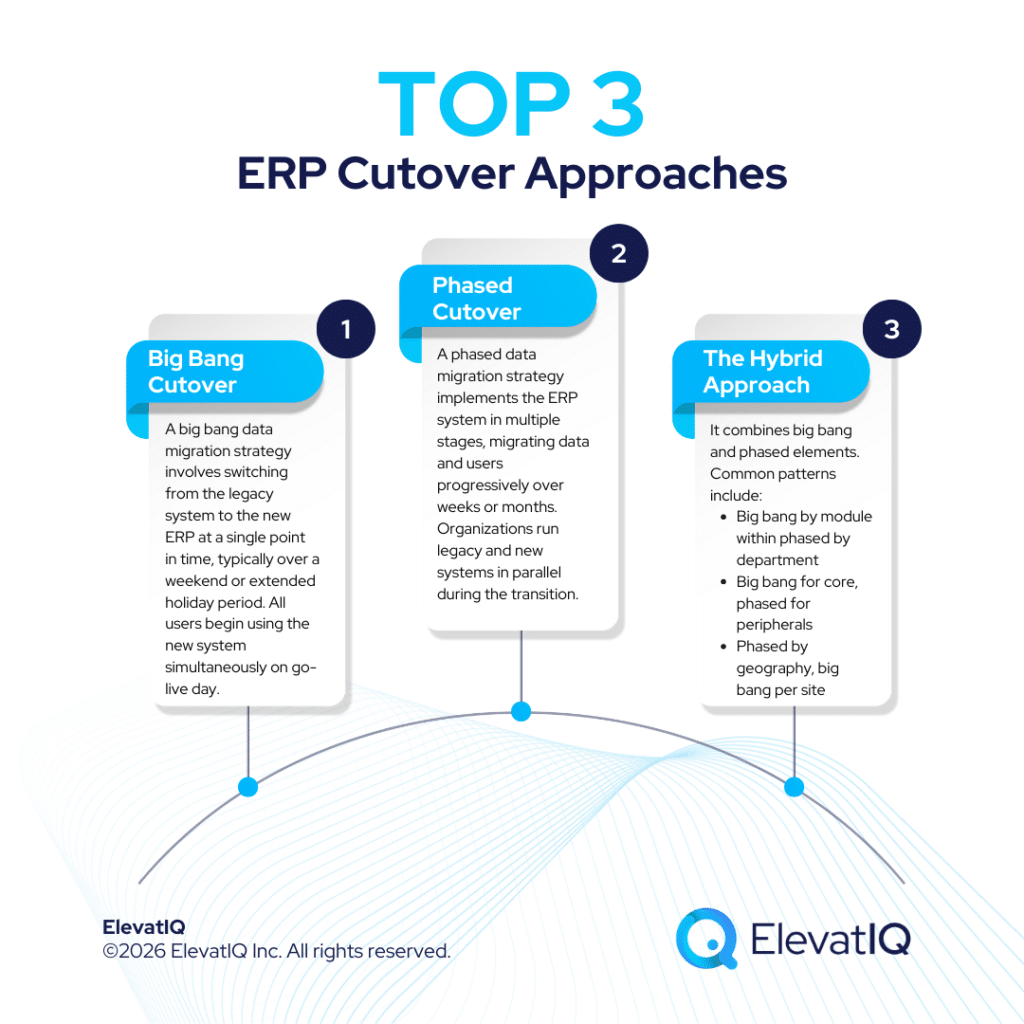
A big bang data migration strategy involves switching from the legacy system to the new ERP at a single point in time, typically over a weekend or extended holiday period. All users begin using the new system simultaneously on go-live day.
Big bang advantages:
- Faster overall timeline: The migration event is compressed, completing the implementation in one phase
- No dual system maintenance: Organizations don’t maintain integrations between old and new systems
- Clear cutover: Everyone knows exactly when the transition happens with no ambiguity about which system to use
- Cost-effective short-term: Lower costs from avoiding parallel system operations and temporary interfaces
Big bang challenges:
- Higher risk profile: If migration encounters issues, the entire organization is affected with limited fallback options
- Significant downtime requirement: Typically requires business closure during migration, usually 48-72 hours minimum
- Limited pre-production testing: Full production validation cannot occur until go-live, creating some uncertainty
- Complex rollback: Reverting to the legacy system after users have created transactions in the new ERP is technically complex
When big bang makes sense:
Big bang cutover works best for:
- Single-site implementations: Organizations operating from one location with centralized operations
- Small to mid-sized organizations: Fewer than 100 users with less complex data and process requirements
- Systems with minimal customization: Standard ERP configurations without extensive custom development
- Non-critical business periods: Implementations timed during slow seasons when downtime is acceptable
Phased Cutover: Gradual Transition
A phased data migration strategy implements the ERP system in multiple stages, migrating data and users progressively over weeks or months. Organizations run legacy and new systems in parallel during the transition.
Phased advantages:
- Lower risk: Issues discovered in early phases can be addressed before affecting the entire organization
- Minimal downtime: Business operations continue with limited disruption as systems transition
- Easier rollback: Individual phases can be reverted without affecting the entire implementation
- Real-world validation: Users provide feedback on each phase, allowing course corrections
Phased challenges:
- Longer duration: The complete migration spans months rather than weeks, extending project timelines
- Higher operational costs: Running two systems in parallel requires additional resources and infrastructure
- Data synchronization complexity: Keeping legacy and new systems aligned requires sophisticated integration
- User confusion: Different departments using different systems creates temporary process fragmentation
When phased makes sense:
Phased cutover works best for:
- Multi-site organizations: Companies with multiple locations that can implement sequentially
- Large enterprises: Organizations with 200+ users where coordinating simultaneous change is impractical
- Complex environments: Businesses with extensive customizations, integrations, or unique requirements
- Mission-critical operations: Organizations that cannot tolerate extended downtime without severe business impact
The Hybrid Approach: Best of Both Worlds
Many successful data migration strategies use hybrid approaches that combine big bang and phased elements. Common hybrid patterns include:
- Phased by geography, big bang per site: Global organizations implement site-by-site, but each site uses big bang cutover and enterprise-wide visibility, user-based models increasingly become a constraint rather than an enabler.
- Big bang by module within phased by department: Implement all modules simultaneously within each department, but roll out departments sequentially
- Big bang for core, phased for peripherals: Implement essential modules (financials, order management) in big bang, then add advanced features in phases

The 2026 Digital Transformation Report
Thinking of embarking on a ERP journey and looking for a digital transformation report? Want to learn the best practices of digital transformation? Then, you have come to the right place.
Validation: The Non-Negotiable Quality Gate
The most sophisticated data migration strategy fails without rigorous validation. Yet validation is consistently underfunded and rushed in ERP implementations, creating expensive post-go-live problems.
What to validate:
- Completeness: Did all expected records migrate? Reconcile record counts between legacy and new systems for every entity type
- Accuracy: Do field values match source data? Sample and verify critical fields like customer credit limits, pricing, and inventory balances
- Relationships: Are parent-child relationships intact? Validate that orders link to correct customers and transactions reference valid GL accounts
- Business rules: Does data conform to new system constraints? Check that required fields are populated and values fall within acceptable ranges
- Calculations: Do computed values calculate correctly? Verify that extended costs, tax calculations, and financial totals are accurate
Validation best practices:
- Create a structured validation approach with clear ownership and acceptance criteria. Assign business users to validate data relevant to their domains—finance validates GL data, sales validates customers, and operations validates inventory.
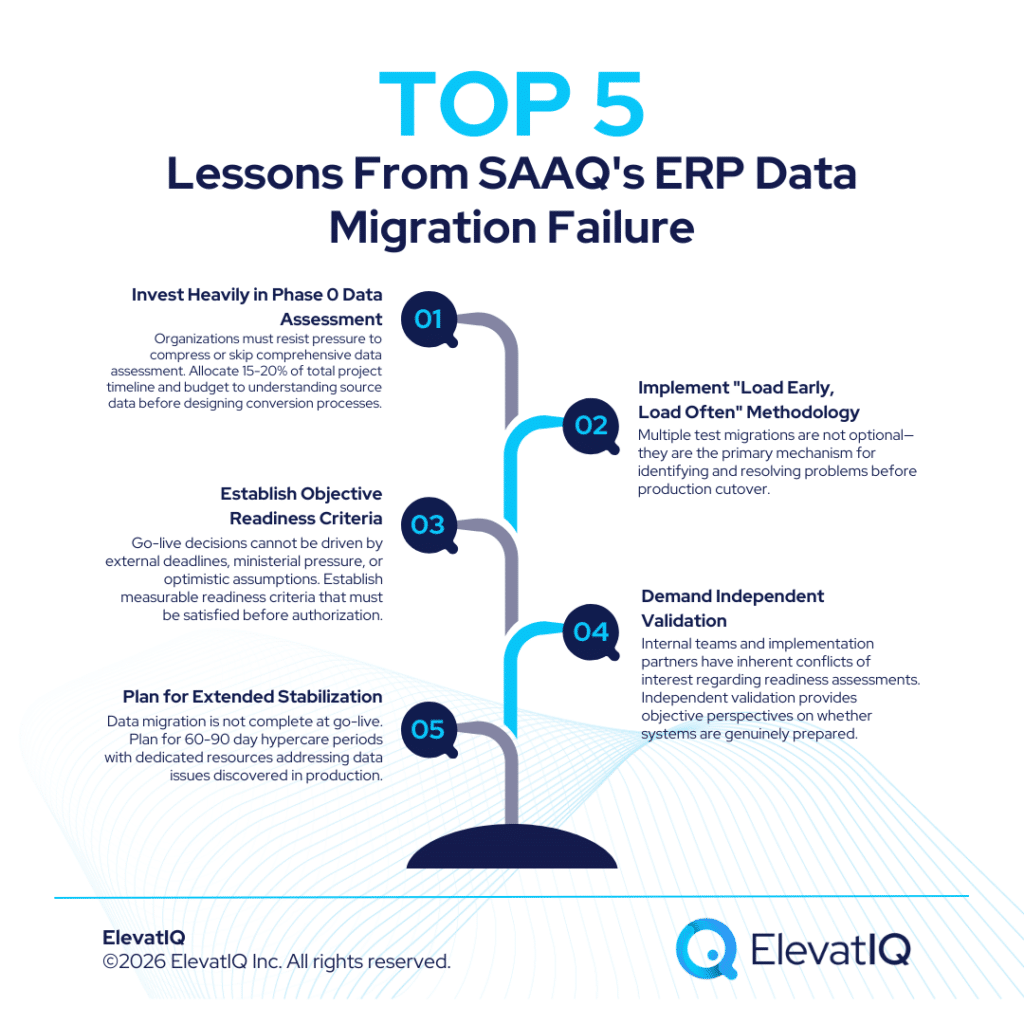
- Run multiple validation cycles. The first migration attempt will reveal data quality issues, mapping errors, and transformation problems. Plan for 3-4 complete migration iterations before the final production cutover.
- Document validation results and issue resolution. Maintain a log of data discrepancies discovered, root causes identified, and corrections applied. This creates an audit trail and prevents repeating the same errors.
Conclusion
Data migration strategy represents a critical factor in ERP implementation success. Research shows that software selection, change management, and project governance alone cannot compensate for inadequate data migration planning. Common issues include insufficient time allocated to data cleansing, emotional rather than strategic historical data decisions, cutover approaches misaligned with organizational realities, and validation treated as an optional checkbox rather than a quality requirement. Organizations can improve their outcomes by treating data migration strategy as a strategic business decision requiring executive attention, adequate investment, and specialized expertise. Data migration strategy demands understanding of not just technical ETL processes but also business context, industry best practices, vendor-specific considerations, and organizational change dynamics.
Developing and executing a sophisticated data migration strategy requires specialized expertise that most organizations lack internally. Even experienced IT teams struggle with the unique challenges of ERP data migration—understanding business context for cleansing decisions, designing efficient extraction and transformation processes, and managing complex cutover orchestration. This is where independent ERP advisors provide critical value. Unlike vendor implementation partners incentivized to minimize project scope and timeline, independent advisors focus on sustainable success that prevents costly post-go-live issues.

ERP Selection: The Ultimate Guide
This is an in-depth guide with over 80 pages and covers every topic as it pertains to ERP selection in sufficient detail to help you make an informed decision.
FAQs
Related Posts: